
AI inside the inspection. A human on the signature.
InspectView is the AI assistant for engine inspectors, built by the team behind JTech Turbines. It sorts the borescope footage by stage, drafts every finding against the manual limit and fills the QEC — so a write-up that took four or five hours takes one or two. Every JTech report is produced in it. The AI never signs.
It does the busywork. The inspector makes the call.
Drop the folder
Photos and video land by stage — Fan, LPC 1–4, HPC, HPT, LPT — just like your folders. Phone photos go straight to the right inspection.
The AI drafts
Cracks, coating loss, nicks and wear are flagged, the applicable manual limit is pulled, and the finding text is written for you.
The inspector decides
Confirm everything in one tap, change anything you disagree with, delete what is wrong. Nothing goes out without you.
Sign and send
The report and the QEC Excel in your own layout, signed by the inspector, downloadable as PDF. You own the data.
Who inspects the engines?
Borescope. GVI. QEC.
AI-generated concept illustrations, not actual InspectView screenshots.
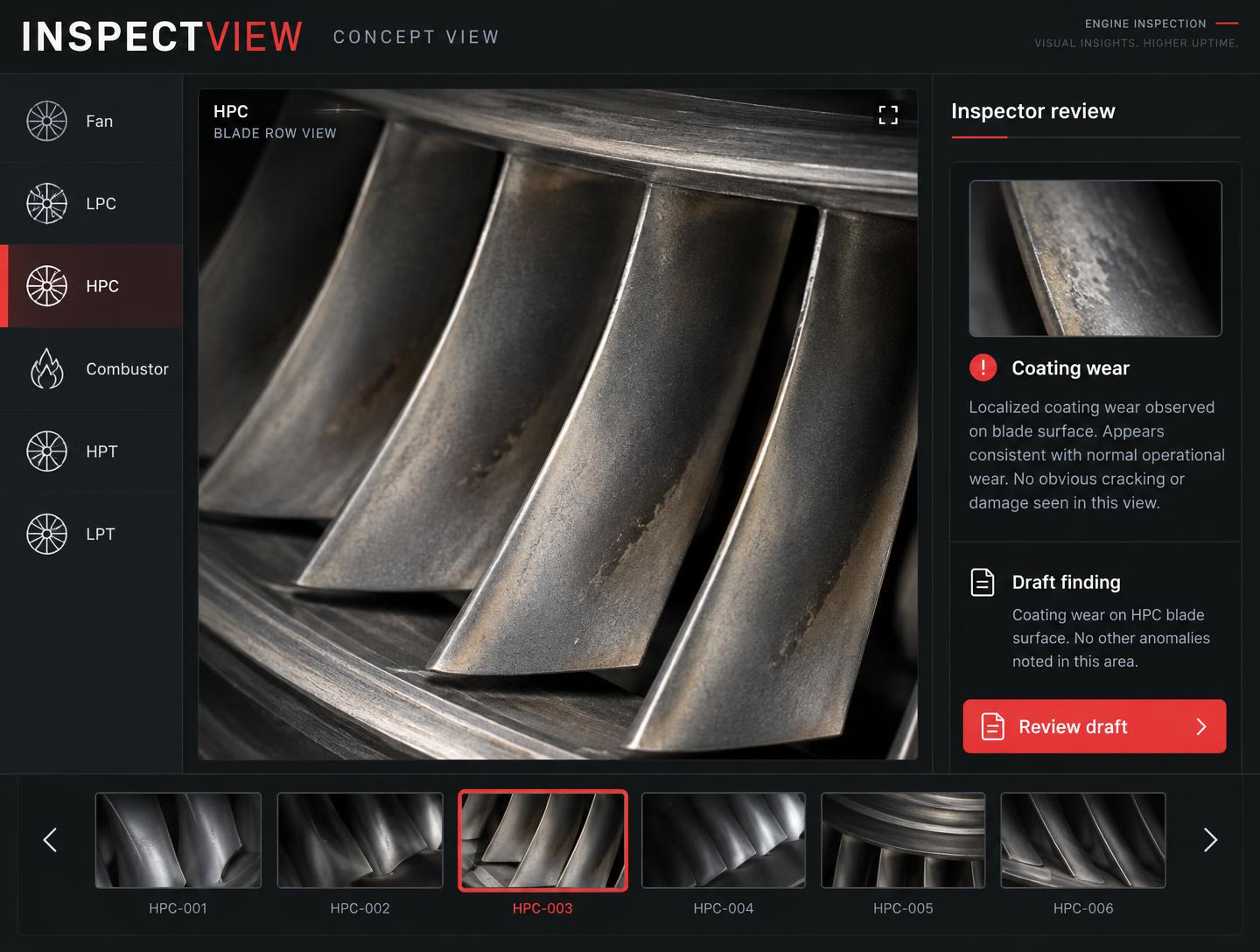 AI concept · not a product screenshot
Borescope
- Footage sorted by engine stage automatically
- AI flags cracks, coating loss, nicks, wear — and checks the limit
- Confirm in one tap, then fill the JTech report
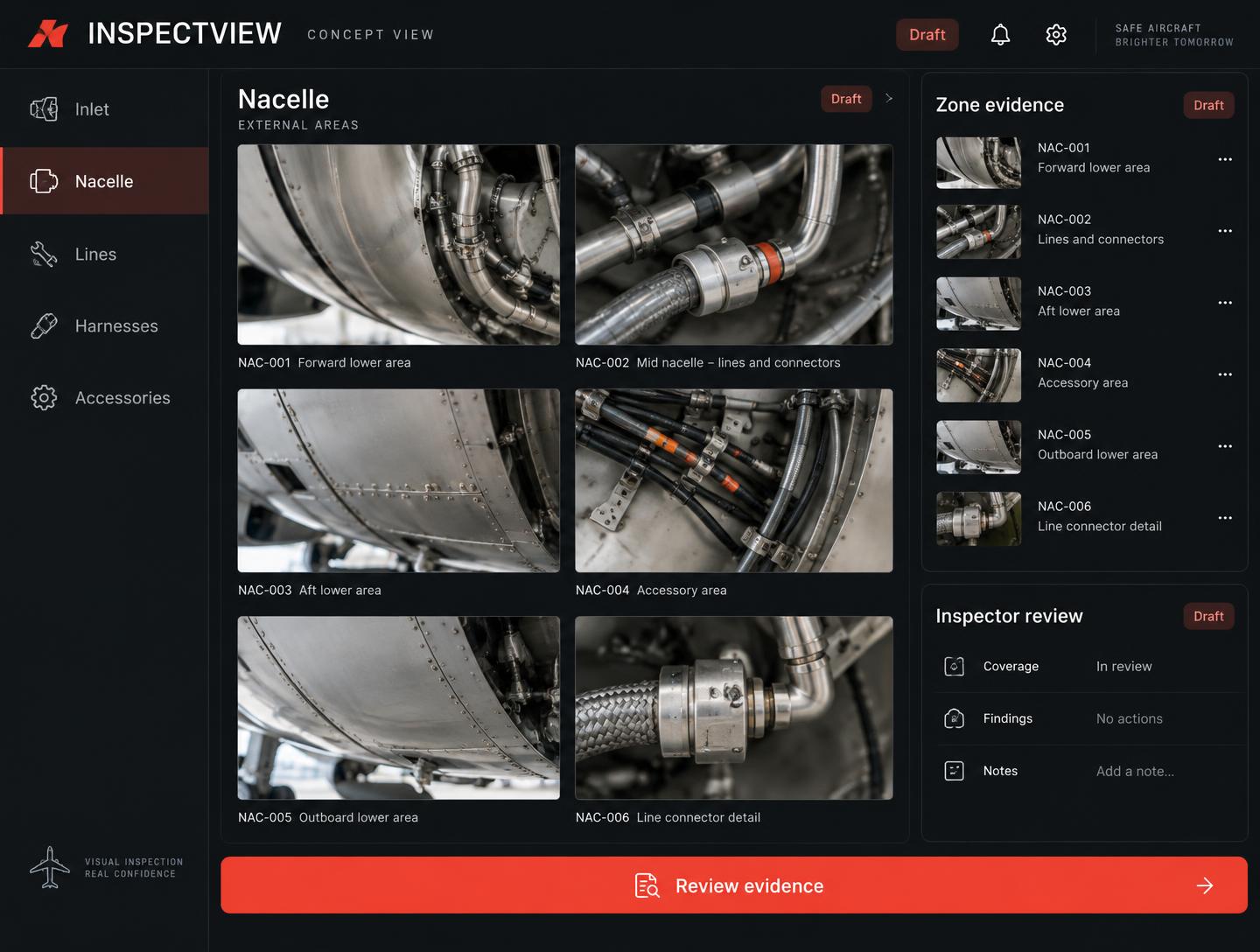 AI concept · not a product screenshot
General visual inspection
- Photo evidence sorted by zone
- Findings drafted with manual references
- Ready for the inspector to review and sign
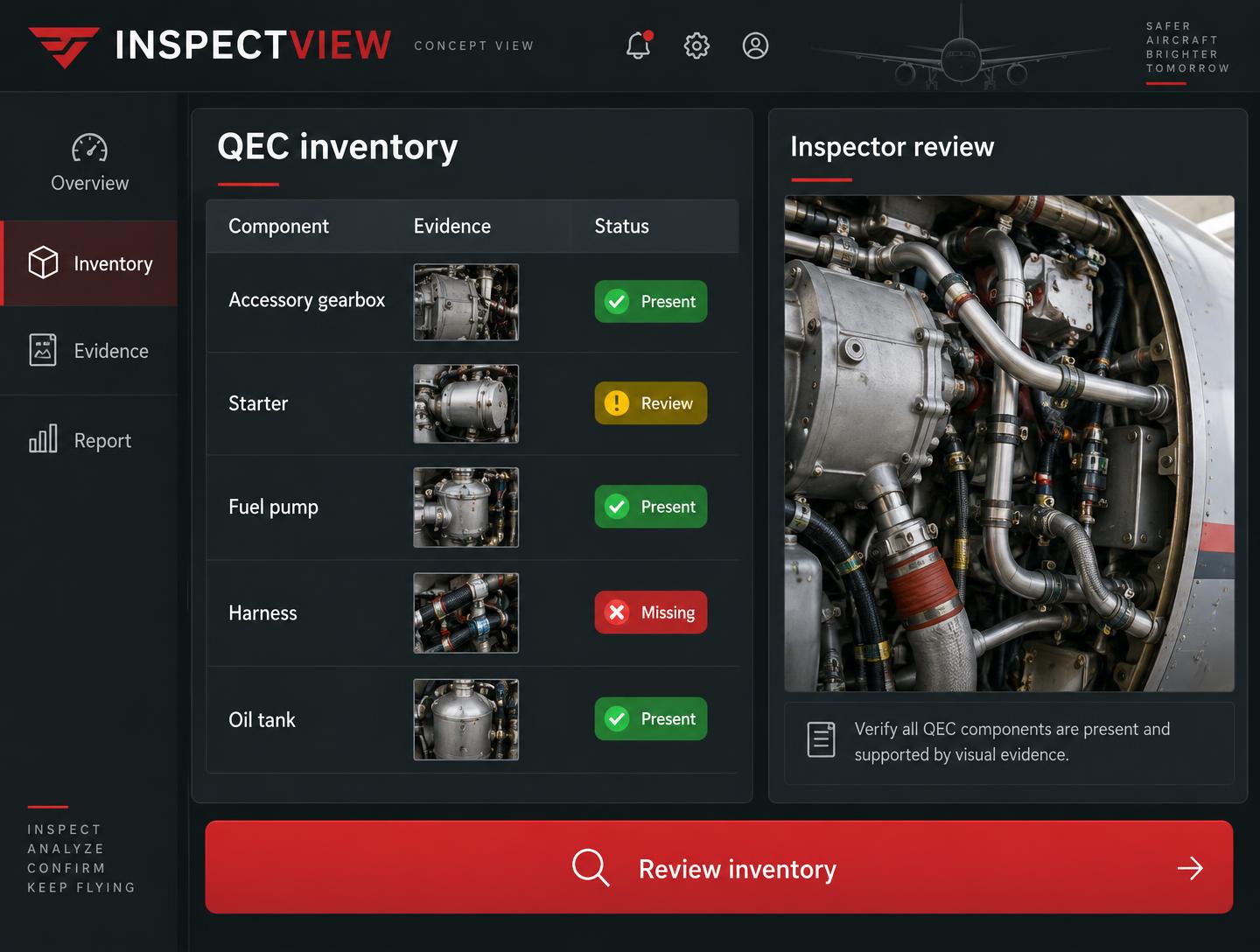 AI concept · not a product screenshot
QEC inventory
- Call out part numbers hands-free while you work
- Matched against the expected list: present, missing, different
- Excel keeps the exact layout you already use
In your pocket. Even with no signal.
Built for the hangar floor: big buttons, voice part numbers for the QEC, and photos that wait on the phone until the Wi-Fi comes back, then land in the right inspection.
One team. Two companies. Same signature.
Performs the inspections. Inspectors on site, on wing and in the shop, in 30+ countries, with three generations of Waygate borescopes. Signs every report.
Drafts the reports. Sorts footage by stage, flags findings, checks manual limits, fills the QEC. Sold as software to operators, MROs and inspection teams worldwide.
The AI drafts. It never signs. Data is encrypted, isolated per customer, and owned by the operator.
What technicians ask first.
Does InspectView replace the technician?
No. InspectView is an assistant. It sorts the photos and video, drafts the findings and fills the forms. You check every finding, change anything you want, and you sign. The AI never signs anything.
How much time does it actually save?
The goal is to take the write-up side of an inspection from four or five hours down to one or two. The AI does the sorting, typing and manual lookups; the judgement stays with the inspector.
Which borescopes does it work with?
Any video probe that outputs standard USB video, MP4/H.264 video or JPEG stills — including the Waygate Everest XL and Mentor Visual iQ families JTech uses every day.
Does it work offline in the hangar?
Yes. Photos and QEC entries are kept on the phone and sync when the connection comes back. AI analysis and sign-off wait until you are online.
Can I still edit the report and the QEC?
Always. Everything the AI fills in is a draft. Add, remove or reword anything before you sign — the QEC Excel keeps the exact layout you already use.
How is inspection data stored?
Encrypted at rest and in transit; each customer's data is isolated by database access rules. Reports download as PDF at any time, and the operator owns them.